Transferring money is one of the most common banking transactions in everyday life. Whether you need to send money to family members, pay for everyday expenses, or make payments to other people, bank transfer services offer a convenient way to do so.
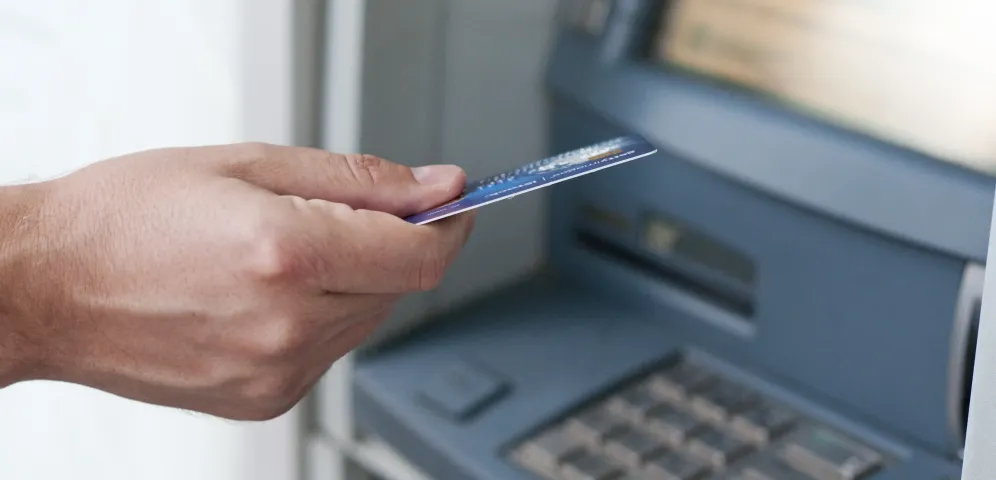
One way to transfer money is through an Automated Teller Machine (ATM). By using an ATM, customers can send money to another account without having to visit a bank branch.
So, how do you transfer money at an ATM correctly? Follow these steps and tips to make your transactions easier and safer!
An ATM transfer is a transaction that moves funds from a sender's bank account to a recipient's account using an ATM. Depending on the available services, you can transfer money to an account at the same bank or to an account at another bank.
According to Bank Indonesia, ATM/debit cards provide a convenient and efficient way to perform various transactions, including cash withdrawals and transfers between accounts or banks.
This means ATMs are not only used for withdrawing cash but can also help meet everyday banking needs.
Before making a transfer, prepare the following items to help ensure a smooth transaction.
It is always a good idea to double-check all the details before starting a transaction. Entering the wrong account number or selecting the wrong bank could result in your money being sent to an unintended account.
Also read: How to Withdraw Cash from an ATM: Follow These Tips!
An intra-bank transfer is a transaction in which both the sender's and recipient's accounts are held at the same bank. Here are the general steps to follow:
After completing the transaction, check your banking notifications or account activity if necessary to confirm that the funds have been deducted and the transfer was successful.
Please note that the menu sequence and screen layout may vary from one bank to another. Always follow the instructions displayed on the ATM you are using.
In addition to transferring money to the same bank, you can also send money to an account at another bank through an ATM that supports interbank transfers. The process is similar, but you may need to select the recipient's bank or enter its bank code.
Here are the general steps for transferring money to another bank at an ATM.
If the ATM asks for a bank code, make sure you enter the correct code for the recipient's bank. Do not guess the code or proceed if the recipient's information does not match your intended destination.
The main difference lies in whether the sender's and recipient's accounts are held at the same bank, as well as the applicable transaction terms.
Bank Indonesia also provides payment infrastructure such as BI-FAST, which facilitates real-time interbank transfers. However, the availability of specific transfer methods through an ATM depends on the services supported by the bank.
ATM transfer fees may vary depending on the sending bank, the recipient's bank, and the type of transfer service used.
Transfers between accounts at the same bank generally have different fee policies from interbank transfers. For interbank transfers, fees may also depend on the available transfer method and the respective bank's terms and conditions.
For example, Bank Indonesia states that BI-FAST offers interbank transfers at a maximum fee of IDR 2,500 per transaction. However, this does not mean that every ATM transfer automatically uses BI-FAST or carries the same fee.
Before completing a transaction, check the fee information displayed on the ATM, if available. You can also review the applicable fees on the bank's official website or contact its customer service team.
In addition to understanding how to transfer money at an ATM, it is important to protect your personal and banking information. Here are some safety tips to keep in mind.
Make sure the account number and recipient's details are correct before confirming the transaction. Do not rush through the process without reviewing the information.
Never share your PIN with anyone, including someone claiming to be a bank representative. Cover the keypad when entering your PIN to prevent others from seeing it.
If you encounter a problem, follow the instructions displayed on the ATM or contact your bank through its official channels. Avoid handing over your ATM card or disclosing your PIN and other confidential information to strangers.
An ATM receipt can help you verify transaction details or report an issue to your bank. Keep it in a safe place and avoid sharing sensitive account information with others.
Do not assume a transfer was successful simply because your balance has decreased or a receipt has been printed. Check the transaction status and your account activity if necessary. If you encounter a problem, contact your bank through its official channels.
Read more: How to Find the Nearest ATM Easily
ATM transfers may occasionally encounter problems due to network disruptions, machine malfunctions, or incorrect information entered during the transaction.
If your transfer fails, follow these steps.
The time required to resolve an issue may vary depending on its cause and the bank's investigation. Make sure to follow the official instructions and procedures provided by your bank.
Transferring money at an ATM is generally straightforward. You simply need your ATM card, PIN, and the recipient's account details, then follow the on-screen instructions until the transaction is complete.
Whether you are transferring money to the same bank or another bank, make sure all the recipient's details are correct before confirming the transaction. Remember to keep your PIN confidential and retain your transaction receipt in case any issues arise.
By understanding these steps, you can transfer money at an ATM more conveniently and safely.
For your everyday banking needs, you can also rely on ATMi ATMs for convenient and accessible transactions. Looking for a reliable ATM for your banking needs? Find your nearest ATMi ATM and enjoy a convenient transaction experience!
Yes. You can transfer money to another bank through an ATM that supports interbank transfers. You will need to select the recipient's bank and enter the required account details according to the on-screen instructions.
Transfer fees depend on the bank, the recipient's account, and the transfer service used. Check the applicable fees before completing your transaction.
ATMs can generally be used outside regular bank branch operating hours. However, transaction availability depends on the machine's condition, network connectivity, banking systems, and the services provided.
Contact the sending bank through its official channels as soon as possible to report the issue and request an investigation. Prepare your transaction receipt and any relevant information. The next steps will depend on the transaction status and the bank's procedures.
Yes. It is advisable to keep your receipt or transaction record, especially if you need to check the transfer status or report an issue to your bank. If no receipt is issued, you can check your account activity or keep any available transaction reference information.