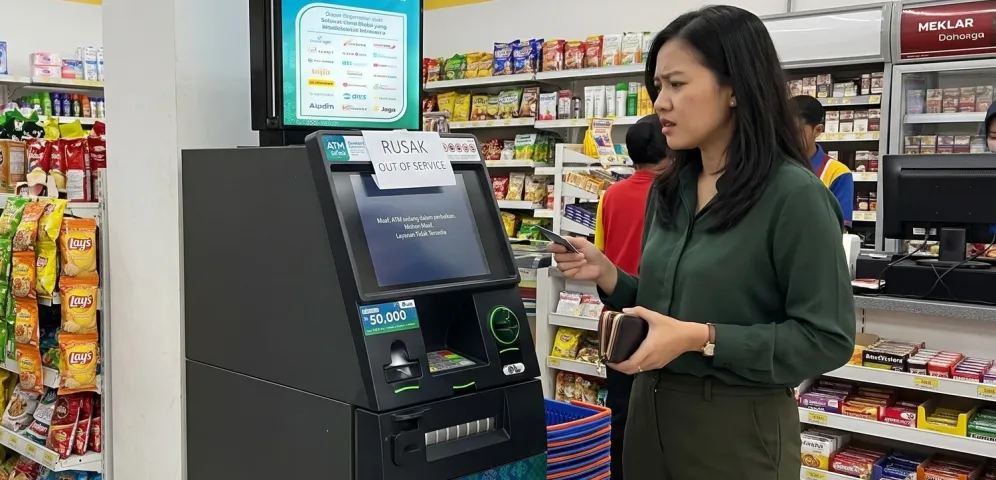
An ATM (Automated Teller Machine) is a banking facility that allows people to perform various transactions independently. From withdrawing cash and transferring money to checking account balances and paying bills, ATMs make everyday banking more convenient without requiring customers to visit a bank branch.
However, there may be times when an ATM does not work when you need it. This can happen for several reasons, ranging from machine malfunctions and card issues to disruptions in banking networks or transaction systems.
So, why is your ATM not working, and how can you fix the problem?
Several factors can prevent an ATM or ATM card from being used for transactions. Here are six common causes to be aware of.
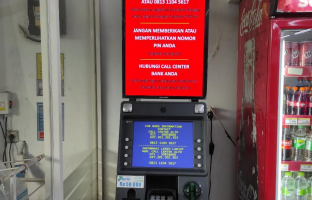
One reason an ATM may not work is a technical problem with the machine. This could involve damaged components, a malfunctioning card reader, or an issue with the ATM's operating system.
In some cases, an ATM may temporarily suspend its services while undergoing maintenance or repairs.
If the screen displays a message indicating that the service is unavailable, do not attempt to force the transaction through. Instead, try using another ATM that is operating normally.
A damaged ATM card can also cause transactions to fail. This may happen if the card's chip is damaged, the card is scratched, or its physical condition has deteriorated.
As a result, the ATM may be unable to read the card's information correctly, preventing the transaction from proceeding.
To address this issue, inspect your ATM card before using it. If the card appears damaged or repeatedly fails to be recognized by multiple ATMs, contact the issuing bank for assistance or request a replacement card.
A blocked ATM card is another reason a transaction may be declined. For example, a bank may block a card after the customer enters an incorrect PIN multiple times. However, blocking procedures may vary depending on the issuing bank's policies.
In addition, an expired card may no longer be accepted for transactions.
If you suspect that your card has been blocked or has expired, contact your bank through its official service channels to check the card's status and learn how to reactivate or replace it.
Never share your PIN, password, or one-time password (OTP) with anyone claiming they can help unblock your card.
ATM transactions may also fail if your account balance is insufficient to cover the requested amount. For cash withdrawals, for example, your available balance must cover the withdrawal amount and any applicable transaction fees.
In addition, each card or account may have a daily transaction limit. If your requested transaction exceeds that limit, the ATM may decline it.
To identify the issue, check your account balance and transaction limits through an ATM or your bank's official channels. If necessary, adjust the transaction amount to stay within your available balance and applicable limits.
ATMs connect to banking systems and payment networks to process transactions. Therefore, disruptions to communication networks or related systems may prevent transactions from being completed.
For example, you may have inserted your card and entered your PIN, only to see a message stating that the transaction cannot be processed. This does not necessarily mean there is a problem with your card or account, as the issue may be caused by a temporary system disruption.
Bank Indonesia emphasizes the importance of secure and reliable infrastructure in payment system operations. Transaction processing disruptions are also among the issues that payment system operators need to address.
If you suspect a system-related problem, wait a while before trying again. If the issue persists, check your bank's official announcements or contact customer service for further information.
Not all ATMs offer the same services. Some machines only support cash withdrawals, while others provide additional features such as cash deposits, fund transfers, bill payments, or digital product purchases.
For example, a standard cash withdrawal ATM may not support cash deposits. To deposit cash, you need to use a machine equipped with that feature, such as a Cash Deposit Machine (CDM) or a Cash Recycling Machine (CRM).
Before making a transaction, make sure the ATM offers the service you need.
Also read: Don't Panic! 5 Ways to Handle an ATM Not Dispensing Cash
Now that you understand the possible causes, here are several steps you can take when an ATM is not working.
Pay attention to any messages displayed on the ATM screen. These messages can help you identify the issue.
For example, a service-unavailable message may indicate a service disruption, while a message related to your card or PIN may require further assistance from your bank.
If the machine displays an error message, follow the instructions provided. Avoid repeatedly attempting the same transaction before identifying the cause of the problem.
Make sure your ATM card is in good condition and has not expired. If you can access the ATM menu, check your account balance and confirm that the transaction amount does not exceed your available funds or transaction limit.
If the card cannot be read or appears to be blocked, contact your issuing bank instead of repeatedly inserting the card or entering your PIN.
If the ATM you are using cannot process your transaction, look for another machine that is operating normally.
If your card works at another ATM, the original problem may have been related to the previous machine or its services. However, if the issue persists across multiple ATMs, check your card and account status with your issuing bank.
Choose a safe ATM location and make sure the machine appears to be functioning properly before proceeding with your transaction.
If the ATM still does not work after you have tried the steps above, contact the bank that issued your ATM card through its official customer service channels.
Explain the issue you are experiencing, such as an unreadable card, a declined transaction, a retained card, or a balance deduction after a failed transaction. Providing the date, time, ATM location, transaction amount, and any error messages can help the bank investigate the problem.
Make sure you only use contact details listed on the bank's official website or mobile application. Do not follow instructions from unknown individuals who ask for your PIN, OTP, or other confidential information.
One situation that can be particularly concerning is when an ATM transaction fails but your account balance decreases. For example, the machine may fail to dispense cash even though the withdrawal amount has been deducted from your account.
If this happens, stay calm and follow these steps:
Do not immediately assume that your money is permanently lost. The transaction status and any potential refund must be confirmed through the bank's investigation.
Bank Indonesia also provides a consumer complaint mechanism for transaction-related issues. Consumers should first submit their complaints to the relevant service provider. If the issue remains unresolved, they may escalate the complaint through Bank Indonesia's official channels in accordance with the applicable procedures.
To make your everyday banking activities more convenient, here are several tips to keep in mind when using an ATM:
By following these steps, you can reduce the risk of encountering problems when using an ATM and understand what to do when a transaction does not go as expected.
Read more: How to Find the Nearest ATM Easily
ATMs play an important role in banking services by helping people meet their everyday transaction needs. To ensure a smoother experience, it is important to understand how to use ATMs correctly and know what steps to take when issues arise.
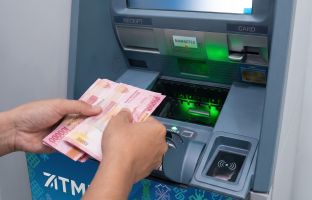
ATMi is an independent ATM network provider and operator in Indonesia, supporting convenient access to ATM services for the public. The ATMi network offers various services, including cash withdrawals, balance inquiries, fund transfers, and other transactions, depending on the features available at each machine.
Before making a transaction, ensure that the ATM is operating properly and offers the service you need. If you encounter a problem, follow the instructions displayed on the screen or contact ATMi's official customer service through the contact details available on its official website and social media accounts.
Enjoy convenient and accessible transactions with ATMi ATMs. Always prioritize transaction security to help ensure a safe and comfortable banking experience.
An ATM may not work for several reasons, including machine malfunctions, a damaged or blocked ATM card, insufficient funds, exceeded transaction limits, or banking network disruptions. To identify the cause, check the message displayed on the ATM screen and contact your bank if necessary.
Check your ATM card, account balance, and any error messages displayed on the screen. If the machine appears to be malfunctioning, try another ATM that is operating normally. If the problem persists, contact your card-issuing bank through its official customer service channels.
Your ATM card may not work even if your account has sufficient funds. Possible reasons include a blocked or damaged card, an exceeded transaction limit, or a problem with the ATM or banking network. Check your card and account status through your bank's official channels.
Check your account balance and transaction history, and keep any available transaction receipts. Record the date, time, ATM location, and transaction amount, then report the issue to your card-issuing bank. The bank will investigate the transaction and explain the resolution process in accordance with its applicable procedures.
Yes, you can try another ATM that is operating normally, provided it supports your card and the transaction you want to make. Make sure the machine offers the service you need and check whether any transaction fees may apply before proceeding.